For a long time, I had been using N1MM Logger+ and MMTTY for RTTY with my Yaesu FT-991A, sending the audio signal via USB and operating in DATA or USB/LSB modes. This setup had always worked reasonably well, so naturally I started by configuring my new Yaesu FTX-1 in much the same way.
After several hours of experimenting, I managed to get RTTY working in DATA-L mode and even completed several QSOs. However, I encountered an annoying problem – the frequency marker on the FTX-1 display was significantly offset from the received station as shown in the MMTTY spectrum. This made finding and accurately tuning RTTY stations rather inconvenient.
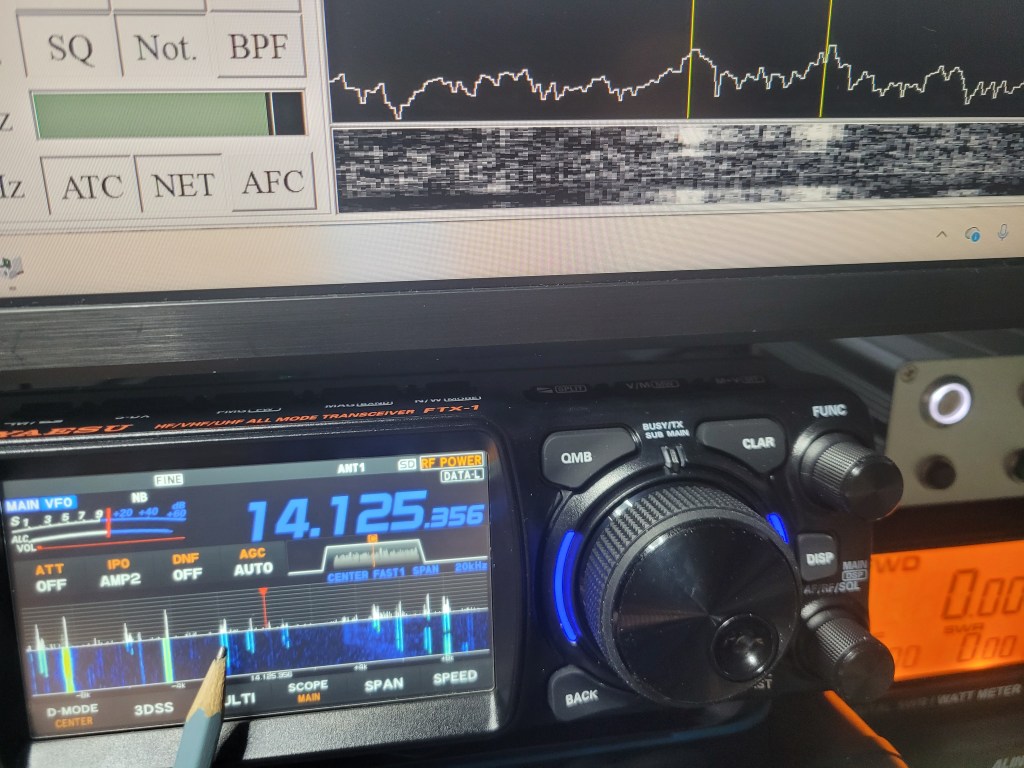
It may well be possible to compensate for this frequency difference when operating in DATA-L or USB/LSB by using the appropriate settings in the radio, MMTTY or N1MM Logger+. However, I was unable to find a solution that made the frequency display and tuning behave the way I wanted.
I therefore decided to take a different approach and set up true FSK RTTY using RTTY-L mode. First, I configured and tested the complete setup on my Yaesu FT-991A, and then used that working configuration as the starting point for setting up the Yaesu FTX-1.
When receive works, but transmit doesn’t…
This is where the real troubleshooting with the FTX-1 began. RTTY reception and decoding worked perfectly almost from the beginning, but transmitting was a different story.
At first, I couldn’t get the FTX-1 to key properly at all. Once I finally got PTT working, the radio went into transmit and I could see RF output on my external PWR/SWR meter, but the stations I called simply didn’t respond. At best, I would get an “AGN” asking me to repeat my call. Eventually, one of the stations indicated that all they could hear from me was a carrier.
Troubleshooting was made more difficult by the fact that, unlike with the FT-991A, I did not have the same convenient way of monitoring the transmitted RTTY signal on the FTX-1. The radio was transmitting and RF power was going to the antenna, but it wasn’t easy to tell whether a proper RTTY signal was actually being generated.
Eventually, I tried a simple experiment. I reduced the FTX-1 output power to 5 W, tuned the FT-991A to the same frequency and used it as a monitoring receiver. During the first tests, instead of the familiar RTTY sound, all I could hear from the FT-991A was essentially noise.
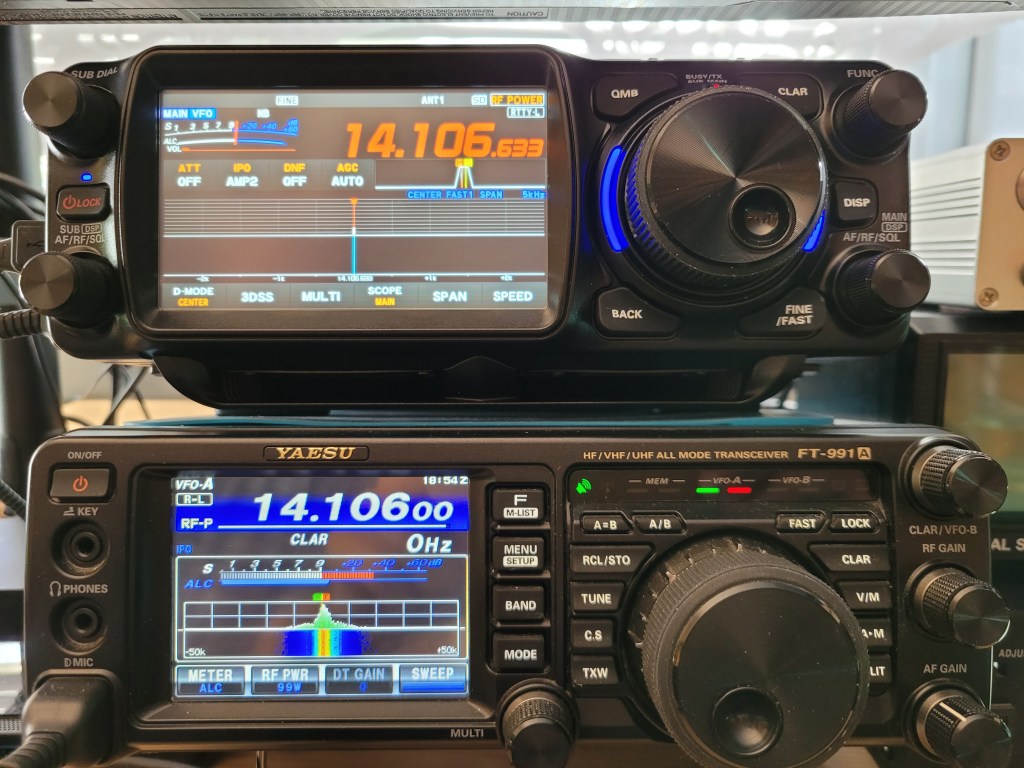
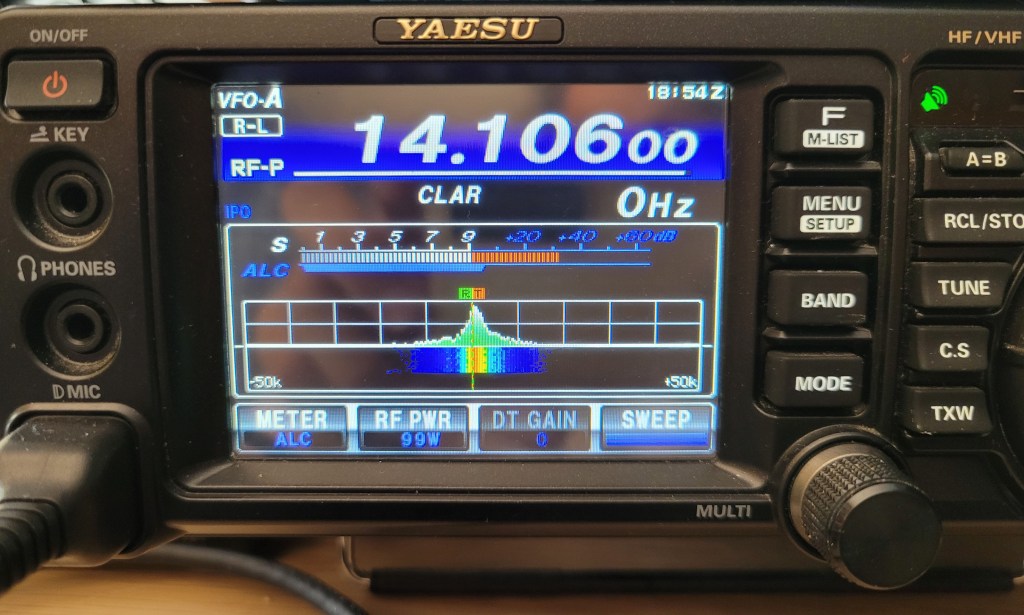
Eureka!
After correcting the FSK polarity as well, other stations were finally able to decode my signal properly, and the first trouble-free QSOs followed using the radio directly in RTTY-L mode.
And the result?
Although the FT-991A and FTX-1 require slightly different settings in a few important areas, I eventually managed to get FSK RTTY working properly on both radios.
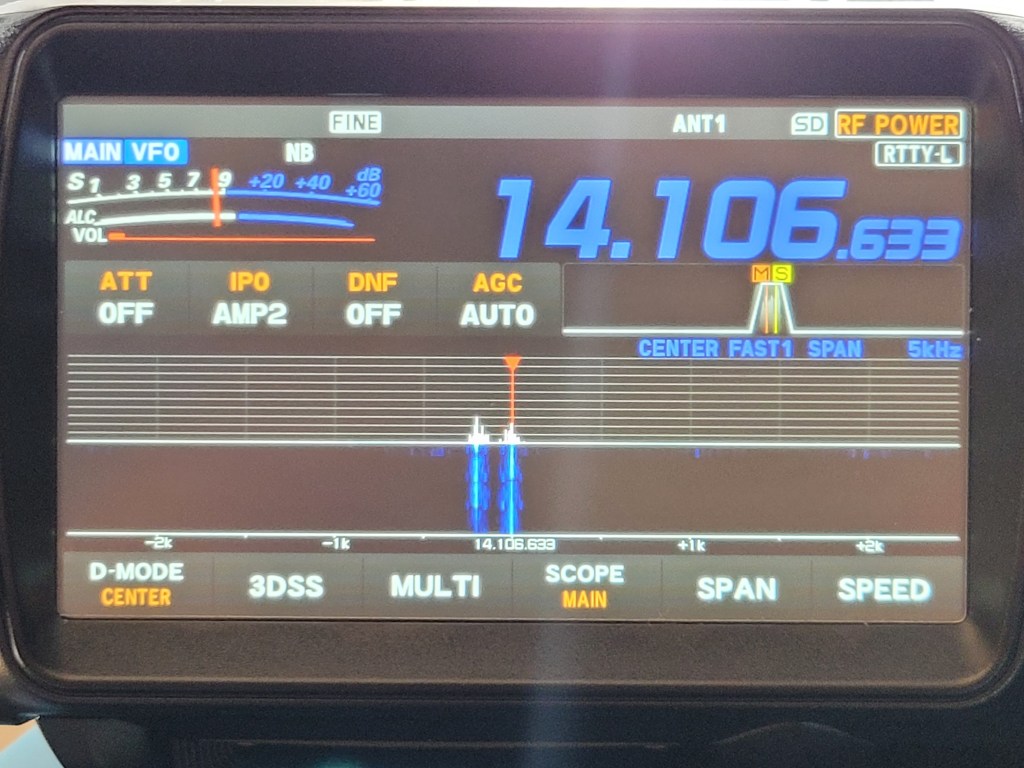
Tuning RTTY stations is now very quick and convenient. On the radio’s spectrum display, I simply align the frequency marker with the right-hand (MARK) component of the RTTY signal, and there is usually very little, if anything, left to fine-tune in MMTTY. I have found a spectrum SPAN of 10 kHz to work very well, with 5 kHz being even more convenient for precise tuning.
Since correctly configuring N1MM Logger+, MMTTY, EXTFSK and the radio itself is not entirely intuitive, I have prepared separate setup guides for both radios:
Yaesu FT-991A – N1MM Logger+ / MMTTY / FSK RTTY Setup
Yaesu FTX-1 – N1MM Logger+ / MMTTY / FSK RTTY Setup
The individual guides include screenshots of the complete software configuration as well as photos of the relevant settings on each radio.

